

How to Use Ford BlueCruise in the 2026 Mustang Mach-E
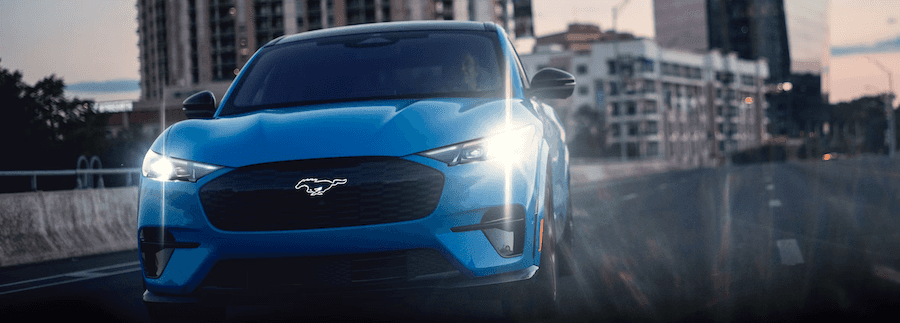
Ford BlueCruise can make highway driving feel more relaxed by allowing hands-free driving on eligible mapped highways. For Mustang Mach-E drivers, it is one of the most useful available driver-assistance features, especially during long commutes, highway trips, and daily drives around Florida.
Still, BlueCruise is not self-driving. It is a hands-free, eyes-on driver-assistance system. That means the vehicle can help control steering, acceleration, and braking in approved areas, but the driver must stay alert, keep eyes on the road, and be ready to take control at any time.
Below, the Essential Ford of Stuart team explains what Ford BlueCruise is, how to activate it in a Mustang Mach-E, when it works, what the dashboard indicators mean, and what limitations shoppers and owners should understand before using it.
Interested in a BlueCruise-equipped EV? Browse our new Ford Mustang Mach-E inventory online.
What Is Ford BlueCruise?
Ford BlueCruise is an available hands-free highway driver-assistance system. When the vehicle is traveling on an eligible mapped highway, known as a Hands-Free Blue Zone, BlueCruise can help control steering, braking, and acceleration while keeping the vehicle centered in its lane.
A driver-facing camera monitors eye gaze and head position to help confirm that the driver is paying attention. If the system detects that the driver is not watching the road, it can issue alerts and require the driver to take control.
BlueCruise can be especially helpful during:
- Long highway drives
- Daily freeway commutes
- Heavy highway traffic
- Road trips with long stretches of divided highway
- Drives where reducing steering fatigue matters
BlueCruise does not turn the Mustang Mach-E into an autonomous vehicle. The driver remains responsible for safe operation at all times.
What Are Hands-Free Blue Zones?
Hands-Free Blue Zones are prequalified sections of divided highways where BlueCruise can operate hands-free. These mapped highway areas allow the system to understand the road environment and help manage the vehicle within the lane.
When your Mustang Mach-E enters a compatible Blue Zone and all system conditions are met, the instrument cluster can indicate that hands-free driving is available.
BlueCruise generally requires:
- An eligible BlueCruise-equipped vehicle
- An active BlueCruise plan or included trial
- A compatible mapped highway
- Clearly visible lane markings
- Adaptive Cruise Control and Lane Centering enabled
- The driver’s eyes on the road
- Proper weather, visibility, and road conditions
If any required condition is not met, the vehicle may remain in hands-on driver-assist mode or ask the driver to take over.
Is BlueCruise Available on the 2026 Mustang Mach-E?
Yes, Ford BlueCruise is available for the 2026 Mustang Mach-E, but availability depends on the vehicle’s equipment and active plan status.
For 2026, Ford notes that BlueCruise equipment requires the Technology Package on Mustang Mach-E models where that package is not already included. Shoppers should review the window sticker or ask the Essential Ford of Stuart team to confirm whether a specific Mustang Mach-E is equipped for BlueCruise.
Depending on the vehicle and purchase structure, BlueCruise may be available through an included trial, an annual plan, a monthly plan, or a one-time purchase at vehicle purchase. Pricing and eligibility can change, so confirm current details through Ford, your Ford Account, the Ford app, or the dealership.
| BlueCruise Requirement | What It Means |
|---|---|
| BlueCruise hardware | The Mustang Mach-E must be equipped with the required camera, sensor, and driver-monitoring hardware. |
| Technology Package | For 2026 Mustang Mach-E, Ford lists the Technology Package as required for BlueCruise activation on applicable trims. |
| Active plan or trial | An active BlueCruise plan is required after any included trial or plan period ends. |
| Eligible road | Hands-free driving works only on compatible Hands-Free Blue Zone highways. |
BlueCruise availability, plan terms, pricing, and features vary by model year, trim, package, software version, and vehicle configuration.
How to Set Up BlueCruise Before You Drive
Before using BlueCruise, set up your Mustang Mach-E and Ford account while parked. Do not try to adjust setup menus while actively driving.
- Download the Ford app. Add your Mustang Mach-E using the vehicle identification number.
- Connect your vehicle. Follow the prompts on the vehicle’s center display and in the Ford app.
- Check BlueCruise status. Review your Ford Account or Ford app to confirm whether your vehicle has BlueCruise capability and whether your trial or plan is active.
- Open vehicle settings. On the center display, go to the driver-assistance settings.
- Enable Lane Centering with Hands-Free. Turn on the available BlueCruise-related settings, including Lane Centering with Hands-Free.
- Turn on related features if equipped. Depending on your software version and vehicle, options such as In-Lane Repositioning or Automatic Lane Change may also be available.
Once setup is complete, you can use BlueCruise when the vehicle is on an eligible road and the system conditions are satisfied.
How to Activate BlueCruise on the Highway
After BlueCruise is enabled in your settings, using it on the highway is straightforward.
- Drive onto a compatible divided highway.
- Make sure the Lane-Keeping System is activated.
- Press the Adaptive Cruise Control button on the steering wheel.
- Set your desired cruising speed.
- Set the following distance from the vehicle ahead.
- Allow the system to detect lane markings and determine whether you are in a Hands-Free Blue Zone.
- Watch the instrument cluster for BlueCruise availability and status.
- When the cluster turns blue and the hands-free icon appears, hands-free BlueCruise is active.
- Keep your eyes on the road and remain ready to take control.
If BlueCruise is not available, your Mustang Mach-E may still support hands-on Adaptive Cruise Control with Lane Centering, depending on conditions.
Understanding BlueCruise Dashboard Indicators
The instrument cluster helps show what driver-assistance mode is active. Exact graphics can vary by model year and software version, but the basic idea is simple.
| Indicator | What It Usually Means |
|---|---|
| Blue cluster or hands-free icon | Hands-free BlueCruise is active in a compatible Blue Zone. |
| Green driver-assistance indicators | Adaptive Cruise Control and Lane Centering may be assisting, but the system may require hands on the wheel. |
| Takeover alert | The vehicle needs the driver to place hands on the wheel and resume full control. |
| Feature unavailable message | Road, weather, visibility, lane markings, plan status, or system conditions may not support BlueCruise at that moment. |
If the system asks you to take control, respond immediately. Do not wait for repeated alerts.
What Is Automatic Lane Change?
Some newer versions of BlueCruise include Automatic Lane Change on equipped vehicles. This feature can help the vehicle change lanes during hands-free driving when the system detects slower traffic ahead and determines that the lane change is available.
Ford identifies Automatic Lane Change as available with BlueCruise 1.5 or higher on select vehicles, including 2025 and 2026 Mustang Mach-E models when properly equipped.
Feature availability varies by software version, vehicle equipment, and active BlueCruise status. If Automatic Lane Change is not available in your vehicle, BlueCruise may still support other features such as hands-free lane centering or Lane Change Assist, depending on configuration.
When BlueCruise May Not Work
BlueCruise is designed for compatible highway conditions. It may not activate, or it may disengage, if the system cannot safely operate.
Common reasons include:
- The road is not a Hands-Free Blue Zone.
- Lane markings are missing, faded, covered, or difficult to read.
- The road is too narrow, too wide, merging, or unusually curved.
- The vehicle enters a construction zone.
- Heavy rain, fog, snow, glare, or poor visibility affects the sensors or cameras.
- The driver-facing camera cannot clearly see the driver’s eyes.
- The driver is not paying attention to the road.
- Aftermarket modifications interfere with the system.
- The vehicle is towing, where BlueCruise should not be used.
These limitations are normal for an advanced driver-assistance system. The driver must remain prepared to take over whenever BlueCruise is unavailable or disengages.
How to Deactivate BlueCruise
You can turn off BlueCruise or resume full control several ways:
- Press the Cancel button for Adaptive Cruise Control.
- Press the brake pedal.
- Take firm control of the steering wheel when prompted.
- Use steering wheel controls to turn off cruise assistance.
- Change settings while parked if you want to disable Lane Centering with Hands-Free.
If conditions change, BlueCruise may also disengage automatically and ask you to place your hands on the wheel. Always respond immediately to alerts.
BlueCruise Tips for Mustang Mach-E Owners
- Keep software updates on. Ford Power-Up software updates can help keep vehicle technology current.
- Check your plan status. BlueCruise requires an active plan after any included trial ends.
- Keep cameras and sensors clean. Dirt, heavy rain, or obstructions can affect system performance.
- Use it where it is designed to work. BlueCruise is for eligible mapped highways, not city streets, parking lots, or back roads.
- Watch for prompts. If the system asks you to take over, do so immediately.
- Stay alert during lane changes. Even if your vehicle supports Automatic Lane Change, you remain responsible for monitoring traffic.
Learning the indicators and alerts before a long trip can make the system easier and more comfortable to use.
Ford BlueCruise FAQ
Is Ford BlueCruise self-driving?
No. BlueCruise is not full self-driving technology. It is an advanced driver-assistance system that can allow hands-free driving in eligible highway areas while the driver keeps eyes on the road and remains ready to take control.
Can I use BlueCruise anywhere?
No. Hands-free BlueCruise works only on compatible Hands-Free Blue Zone highways and only when system conditions are met.
Does BlueCruise require a subscription?
BlueCruise requires an active plan after any included trial or plan period ends. Ford lists different plan options, and pricing can change.
Can BlueCruise change lanes?
Some versions and vehicles support lane-change features. BlueCruise 1.5 or higher can include Automatic Lane Change on select 2025 and 2026 Mustang Mach-E models when properly equipped.
Can BlueCruise work in bad weather?
BlueCruise may work in some weather conditions, but heavy rain, fog, snow, poor visibility, blocked cameras, or unclear lane markings can reduce performance or prevent activation.
Can I use BlueCruise while towing?
No. Ford states that BlueCruise cannot be used while towing.
The Bottom Line: BlueCruise Makes Highway Driving Easier
Ford BlueCruise can make the Mustang Mach-E feel more relaxed on the highway by helping manage steering, braking, acceleration, lane centering, and, on some equipped models, lane changes.
The key is understanding what BlueCruise is and what it is not. It is a hands-free highway driver-assistance system for eligible mapped roads. It is not a replacement for safe, attentive driving.
If you are shopping for a Mustang Mach-E, confirm that the vehicle is equipped with the required BlueCruise hardware and package, review the active plan or trial status, and ask how the system works before your test drive.
Ask Essential Ford of Stuart About BlueCruise-Equipped Mustang Mach-E Models
The best way to understand Ford BlueCruise is to see how it works in a properly equipped vehicle. Visit Essential Ford of Stuart to explore available Mustang Mach-E models, compare trims and packages, and ask our team about BlueCruise availability.
Browse our new Ford Mustang Mach-E inventory online or call (772) 287-0955 to speak with our team in Stuart, FL.
Ford BlueCruise is a driver-assistance feature and does not replace safe driving, driver attention, judgment, or the need to control the vehicle. Only remove your hands from the steering wheel when the system indicates hands-free mode is active in a compatible Hands-Free Blue Zone. Keep your eyes on the road and be prepared to take control at any time. BlueCruise availability, features, software versions, pricing, plans, equipment, and road coverage vary by model year, trim, package, configuration, active plan status, and updates. See Essential Ford of Stuart and Ford owner materials for current details.

0 comment(s) so far on How to Use Ford BlueCruise in the 2026 Mustang Mach-E